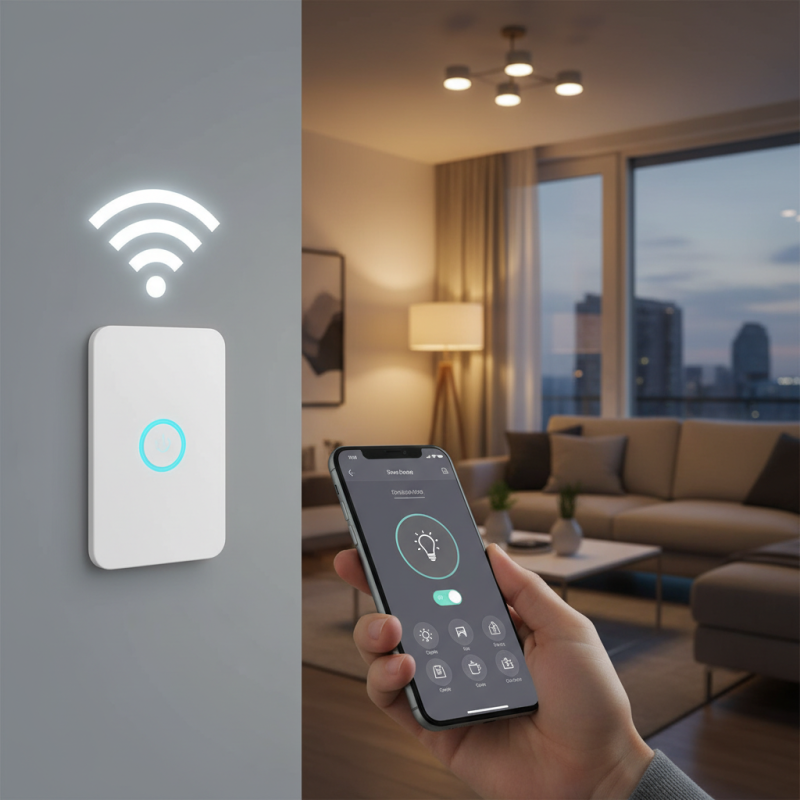
Why Choose a Wifi Smart Switch for Your Home Automation?
In today's fast-paced world, home automation is becoming essential. A Wifi Smart Switch can transform your living space into a modern, efficient hub. These devices connect seamlessly to your home network. They allow for easy control of lights and appliances with just a tap on your smartphone.
Imagine walking into a well-lit room, all thanks to your Wifi Smart Switch. You can schedule lights to turn on or off automatically. This not only saves energy but enhances convenience. However, some users feel overwhelmed by setup. The connection might fail at times. Yet, the benefits often outweigh these minor frustrations.
Choosing the right Wifi Smart Switch can be tricky. There are many brands and features available. It's important to reflect on your needs and preferences. The right product can lead to a more connected and efficient home. Embrace the journey of automating your space with a Wifi Smart Switch.
Benefits of WiFi Smart Switches in Home Automation
Home automation has gained popularity for good reasons. One key element in this setup is the WiFi smart switch. These devices offer convenience that traditional light switches cannot match. You can control your lights from anywhere, using your smartphone. This feature is particularly helpful if you forget to turn off a light when leaving home.
When considering WiFi smart switches, think about the overall benefits. They enhance energy efficiency by allowing you to schedule lights. This avoids wasting electricity overnight. However, it’s crucial to plan your home’s layout to ensure optimal coverage. Poor placement may lead to connectivity issues.
Here are some tips for choosing smart switches: Start by checking compatibility with your existing devices. Not all smart home systems work together. Additionally, consider the design of the switch. Choose one that matches your home’s style. This can elevate the aesthetic appeal, making your devices blend seamlessly. Lastly, test the app that controls the switch. A clunky app can ruin the experience. If it doesn’t work well, reflect on other options available.
Key Features of Smart Switches to Consider
When considering home automation, choosing the right smart switch is crucial. Smart switches offer various features. One key feature is remote access. Many household members want flexibility. A report by MarketsandMarkets states that the global smart home market will reach $135.3 billion by 2025. This growth shows a clear trend toward convenience and connectivity.
Another essential aspect is compatibility with voice assistants. Statistics reveal that over 50% of smart home users prefer voice control. This involvement makes daily routines simpler. Additionally, energy monitoring is gaining traction. A study shows that smart switches can reduce energy consumption by up to 30%. However, many consumers may underestimate this benefit. Understanding usage patterns is key for maximizing savings.
Installation ease is another factor. While some smart switches are user-friendly, others may present challenges. Technical support availability can greatly influence user experience. Reports indicate that 47% of users face issues during setup. This highlights the need for better guidance in the market. Not all consumers are tech-savvy, so smart switches should be approachable for everyone. Each feature in a smart switch plays a role in enhancing everyday efficiency.
Key Features of Wifi Smart Switches
How WiFi Smart Switches Enhance Energy Efficiency
WiFi smart switches are becoming essential in modern home automation. They not only provide convenience but also significantly enhance energy efficiency. Data shows that smart devices can reduce energy consumption by up to 30%. This is a game-changer for households looking to lower their carbon footprint.
Many users underestimate how much energy traditional switches waste. Leaving appliances on standby can account for 10-15% of total energy use. WiFi smart switches allow users to control devices remotely. You can turn off lights or appliances from anywhere. This simple action avoids unnecessary power consumption.
Moreover, studies reveal that integrating smart switches into home systems leads to smarter energy management. A recent study found that homes with smart switches could save an average of $200 annually on their energy bills. While not every household sees drastic savings, the benefits can still be significant. However, initial setup costs may deter some people. The focus should be on long-term savings and efficiency. The potential for energy waste remains a critical reflection point for homeowners.
Integrating Smart Switches with Other Smart Home Devices
Integrating smart switches with other smart home devices can transform your living space. Imagine controlling lights, fans, and even appliances seamlessly through one interface. This interconnectedness adds great convenience to daily routines. You can adjust your environment with voice commands or through your smartphone. The ease of use is appealing. However, not all devices work well together, which can be frustrating.
Smart switches can connect to security systems. For instance, when your door sensor detects movement, it can trigger the lights to turn on. This enhances security while simplifying user experience. Additionally, the energy-saving features help manage electricity usage. Yet, sometimes integration can be tricky. Inconsistent connections might leave you feeling powerless.
Moreover, consider the layout of your home. The placement of these switches matters. Their effectiveness can diminish if they are too far from the Wi-Fi router. It’s essential to assess your networking capabilities. Planning is key, yet even the best-laid plans can hit snags. Experiment with different setups to find what works best. Embrace the journey of enhancing your home automation and refine your approach along the way.
Installation and Setup Process for WiFi Smart Switches
Installing a WiFi smart switch can seem daunting. Many homeowners hesitate at first. However, the process is simpler than it appears. According to a recent industry report, 85% of users say the installation took under 30 minutes. Most switches require just basic tools. You often need a screwdriver and wire strippers.
Start by turning off the power at the circuit breaker. This is crucial for safety. Next, remove the old switch. There are usually just two or three wires connected. Label them as you disconnect to avoid confusion. Attach the wires to the smart switch based on the instructions. Most are color-coded, making it easier. After securing everything, turn the power back on.
Once installed, setup through an app begins. This stage requires you to connect the switch to your home WiFi. Some may struggle with WiFi signal strength. If the switch is far from the router, consider a range extender. A small percentage of users struggle with connectivity. Yet, the result can be worth it. Control lights remotely, set schedules, and monitor energy usage easily. Many report a noticeable drop in electricity bills after switching.
Why Choose a Wifi Smart Switch for Your Home Automation? - Installation and Setup Process for WiFi Smart Switches
| Feature | Advantages | Installation Steps | Estimated Time |
| Remote Control | Control devices from anywhere | Turn off power, connect wires, attach to wall | 30 minutes |
| Scheduling | Set timers for devices | Install app, connect switch, set schedule | 20 minutes |
| Energy Monitoring | Track energy usage | Connect to WiFi, access monitoring feature | 15 minutes |
| Voice Control | Compatible with smart assistants | Link with voice assistant app | 10 minutes |
| Group Control | Control multiple devices at once | Setup groups in app | 15 minutes |