Top 10 Cables and Connectors You Need to Know About?
In the world of technology, cables and connectors play a crucial role. They ensure that devices communicate effectively. The right cables and connectors can enhance performance significantly.
Understanding these components can be overwhelming. Different types serve distinct purposes, such as powering devices or transferring data. Some cables offer high-speed connections, while others prioritize durability. It’s essential to know which ones to choose for specific tasks.
Common mistakes often arise from a lack of awareness. Many users underestimate the importance of quality. Cheap connectors might save money but often lead to frustrating malfunctions. This guide highlights the top 10 cables and connectors you need to know about. Each entry reflects experience and expertise, providing insights to help you make informed choices. When you invest in quality, you invest in reliability.
Top 10 Essential Cables and Connectors for Modern Electronics
In today's tech-driven world, knowing essential cables and connectors is crucial. They enable seamless communication between devices, ensuring optimal performance. USB cables, for example, are ubiquitous. Their variations, like USB-C, facilitate fast data transfer and charging. This versatility makes them indispensable for various gadgets.
HDMI cables are another must-have. They deliver high-definition audio and video, connecting televisions to game consoles and computers. However, not all HDMI cables are created equal. Users may encounter compatibility issues, especially with older devices. Investing in quality options can alleviate this concern.
Ethernet cables remain relevant in the age of Wi-Fi. They provide stable internet connections for gamers and professionals alike. Wireless connections can be unreliable at times, making Ethernet a reliable alternative. Understanding the differences among various Ethernet types is essential for achieving maximum speed and efficiency.
Understanding the Different Types of USB Connectors and Their Uses
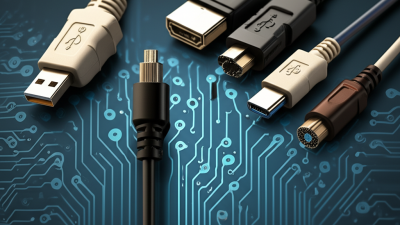
USB connectors are a vital part of our daily tech interactions. They come in various shapes and sizes, with each type serving specific functions. Understanding these connectors can enhance your experience and ensure compatibility across devices.
USB Type-A is the classic rectangular connector. It’s commonly found on computers and chargers. This design has been around for years, showing both reliability and versatility. On the other hand, USB Type-C is becoming increasingly popular. It is reversible, meaning users can plug it in any way. This feature saves time and reduces frustration.
**Tips:** Always check the specifications of your devices before purchasing cables. Mismatched connectors can lead to inefficiencies. Moreover, consider using multi-port chargers to save space. This can be a clutter-free solution if you regularly charge multiple devices.
Not all USB cables are created equal. Data transfer speeds vary, and charging capabilities differ too. You might find that older cables do not support fast charging or high-speed data transfer. It’s crucial to be aware of the limitations of each cable. This knowledge helps avoid issues during use.
Top 10 Cables and Connectors You Need to Know About
| Type |
Description |
Common Uses |
Data Transfer Speed |
| USB Type-A |
Standard rectangular connector |
PCs, chargers, peripherals |
Up to 5 Gbps (USB 3.0) |
| USB Type-B |
Square connector primarily for printers |
Printers, external hard drives |
Up to 5 Gbps (USB 3.0) |
| USB Micro-B |
Smaller connector used in portable devices |
Smartphones, tablets, cameras |
Up to 5 Gbps (USB 3.0) |
| USB-C |
Reversible connector with versatile applications |
Laptops, smartphones, tablets, peripherals |
Up to 40 Gbps (USB 4.0) |
| Lightning |
Apple's proprietary connector for iOS devices |
iPhones, iPads |
Up to 480 Mbps |
| HDMI |
Connector for high-definition video and audio |
TVs, monitors, projectors |
Up to 48 Gbps (HDMI 2.1) |
| DisplayPort |
Digital display interface |
Monitors, graphics cards |
Up to 80 Gbps (DP 2.0) |
| Ethernet |
Network cable for wired connections |
Networking devices, routers, switches |
Up to 100 Gbps (with CAT8) |
| Thunderbolt |
High-speed connection for data and video |
External monitors, storage devices |
Up to 40 Gbps (Thunderbolt 3 and 4) |
An Overview of HDMI Cable Standards and Their Impact on Video Quality
When discussing HDMI cable standards, it’s crucial to understand their impact on video quality. Different HDMI versions offer varying capabilities. For instance, HDMI 1.4 supports 4K resolution at 30Hz. This is acceptable for many users. However, true video enthusiasts often demand better performance.
The advancements in HDMI technology enhance clarity and color accuracy.
Newer standards like HDMI 2.0 and 2.1 significantly boost frame rates and resolution. They allow for smoother motion in fast-paced scenes. These improvements are not just numbers; they create tangible benefits in viewing experience. Yet, many users might not notice the difference unless they have a high-end display.
However, the journey through HDMI standards can be confusing. Features like HDR support and eARC need careful consideration. It's easy to overlook which HDMI version is necessary for specific devices. This reflects a common issue: consumers often buy cables without knowing their full potential. Education on these standards can empower users, ensuring they make informed choices.
The Role of Ethernet Cables in Network Speed and Reliability
Ethernet cables play a crucial role in determining network speed and reliability. They connect devices to the internet and allow seamless communication between them. The type of Ethernet cable you choose can significantly impact your network performance. For instance, a Category 6 cable typically supports higher speeds and better bandwidth than older categories. This can be essential for activities requiring fast data transfer, like gaming or video streaming.
Network reliability is another important factor influenced by the quality of cables. Poorly shielded cables may lead to interference, causing slow speeds or dropped connections. Look for cables with higher specifications, as they are often designed to minimize such issues. However, not all situations demand the latest technology; sometimes, simpler solutions work well enough. Reflecting on your specific needs can make a difference in your setup.
Additionally, cables should be installed properly. This includes avoiding tight bends and ensuring secure connections. Neglecting these details may lead to performance issues down the line. It's easy to overlook such aspects in favor of speed and advanced features. Simple adjustments could enhance your connection's reliability significantly.
Key Factors in Selecting Audio Cables for Optimal Sound Quality
When selecting audio cables, sound quality is paramount. A well-made cable can make a noticeable difference in your audio experience. One crucial factor is the cable's materials. High-quality conductors like copper or gold offer better conductivity. Look for cables with good shielding too. This reduces interference and preserves signal integrity.
Connector types also play a role in audio performance. Opt for connectors that fit securely. Loose connectors can lead to poor audio quality. Additionally, the length of the cable matters. Longer cables can introduce unwanted noise. Aim for the shortest length necessary for your setup.
Consider your specific audio needs. Not all cables suit every device. Different formats and environments may require unique solutions. Reflect on how much you listen and what you value in sound. Investing time into researching options is worthwhile. You may discover that an overlooked detail significantly enhances your audio experience.
Top 10 Cables and Connectors for Optimal Sound Quality
This chart presents the sound quality ratings for the top 10 audio cables and connectors. A rating closer to 10 signifies optimal sound performance, making these cables essential for high-quality audio setups.